Since the successful first public release, the focus has been on continually improving and adding new features to make Nitrous more useful.
The biggest addition this time is a dedicated Track Limits Tracker, but there are also a couple of smaller changes around race control, session readability, and localization.
Track Limits Tracker
Track limits are one of those things that are easy to miss while following a session live.
Race control messages are useful, but during busy qualifying sessions or races they can quickly become noisy. If you only want to know who is collecting warnings, who is close to a penalty, or where the repeated violations are happening, scrolling through the full race control feed is not ideal.
So Nitrous now has a dedicated Track Limits Tracker window.
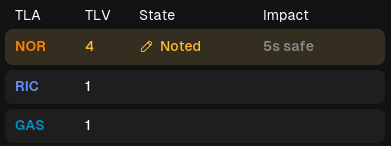 | 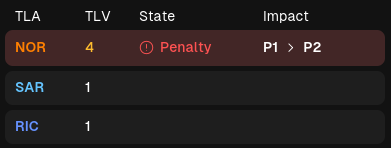 |
It gives a clear picture of upcoming possible penalties at a glance, without needing to dig through the full race control feed.
Driver Status
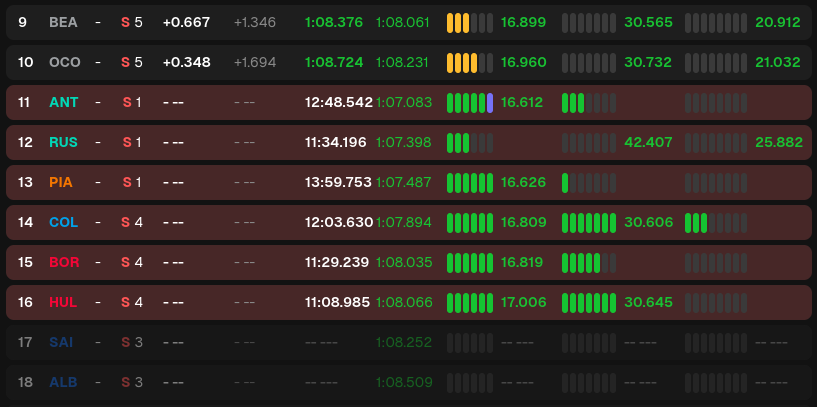
Alongside the new tracker, we also show more about the driver status.
Retired or Knocked out drivers are now greyed out.
Drivers in the qualifying danger zone are now highlighted as well. During Q1 and Q2, this should make it easier to see who is at risk and whos safe.
Race Control Filtering
Race control messages can get very busy, especially with blue flag messages, as we saw during the Barcelona GP race.
Nitrous now includes a Blue Flags filter, enabled by default, which can be configured in Settings.
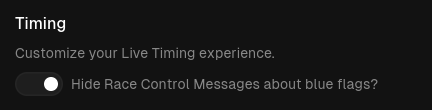
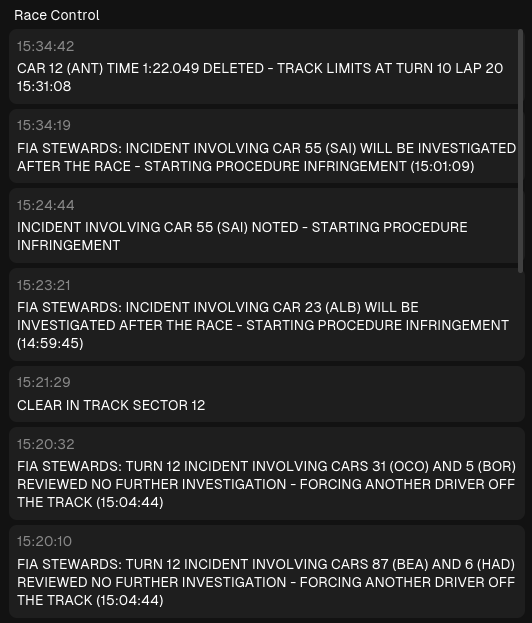 Blue Flags filter on | 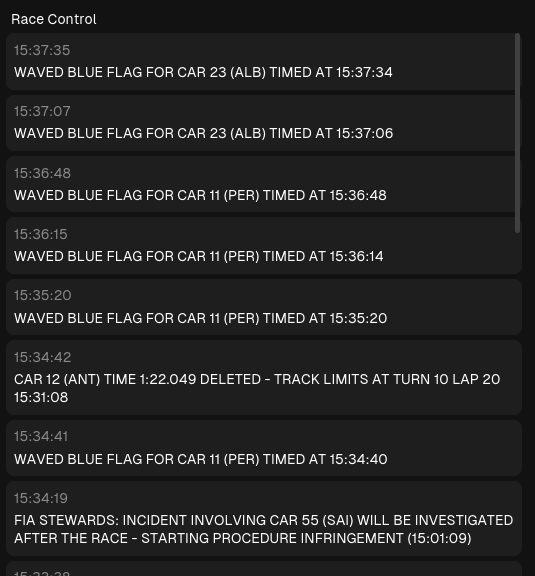 Blue Flags filter off |
This keeps the race control window calmer by default while still allowing you to turn the messages back on if you prefer seeing everything.
Race control messages also now show both track time and local time. Track time is useful when matching events to the official session clock, while local time makes it easier to connect messages to what you saw live or in a replay.
Localization Improvements
Another area that needed attention was localization around units.
Temperature, distance, and time values can now be displayed using localized units.
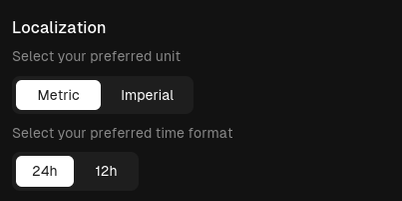
Weather data also now displays wind direction using cardinal directions like N, NE, or SW instead of raw values.
Those are all small improvements, but contribute to a more polished and user-friendly experience.
Bugfixes & Improvements
Besides the new features, versions 0.2.0 and 0.2.1 also included a number of fixes and stability improvements:
- Fixed login issues affecting accounts with unknown subscription states.
- Fixed the Windows application icon.
- Fixed meetings occasionally missing from the home screen.
- Fixed duplicate sessions on the home screen.
- Fixed stuttering when loading replays.
- Fixed live buffer pause/resume functionality.
- Added additional information about login usage.
- Improved authentication loading performance.
What’s next?
Some features in our pipeline include the following:
- Driver Team Radios
- Improved Session Replay Playback Controls
- Show Amount of PIT Stops on the Leaderboard
- Introduce Icons and more details to Race Control Messages
- Schedule page on the website
- Release notes on the website
There are still more features, improvements, and general polish planned for future releases. As always, if you run into problems or have feedback, please send it through the Discord server.
That’s it for this devlog.
Best regards,
- slowlydev